



Go to Windows platform Display platforms icon
Go to Windows platform Go to Mac platform Go to Android platform
BeautyCam icon

BeautyCam

1.2
5 1 reviews
2.4 k downloads
security security

Live streaming from BeautyCam's iOS and Android app

Advertisement
Remove ads and more with Turbo
Advertisement
Remove ads and more with Turbo
Andrés López icon
Reviewed by
Andrés López
Content Editor
Andrés López is part of Uptodown's in-house Editorial Team. Translated by Uptodown Localization Team

BeautyCam is an official app from Meitu. This company develops the apps SelfieCity, Meipai, and Wink, among others, allowing you to stream from the BeautyCam app for iOS and Android so you can see everything you are focusing on with your mobile device's camera on your PC. And, of course, you can see all the beautifying effects in real-time.

Easy-to-configure streaming

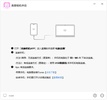
To set up BeautyCam, you first need to make sure you have the BeautyCam app installed on the iOS or Android device you want to stream from. Then, you need to ensure that both devices, the PC and the iOS or Android, are connected to the same Wi-Fi network. You are ready to start streaming once you have met these two requirements.

Advertisement
Remove ads and more with Turbo

High quality, no complications

To start streaming, you must enter the iOS or Android app, look for the Live Streaming option, tap on it, and choose the Computer option. If your PC is connected to the same Wi-Fi network, you can instantly start viewing the images on the monitor. All the beautifying effects you apply on the app will also be displayed on the PC screen. However, you cannot do anything else from the PC. The only option is to close the app when you want to stop streaming.

Download BeautyCam if you are looking for a quick and easy option to stream between an iOS or Android device and a PC. All you need to operate this software is to ensure that all devices are connected to the same Wi-Fi network, and you can get started. The app's free version displays a watermark, which is relatively common for this type of program.

Information about BeautyCam 1.2

Basic information

Developer Meitu (China) Limited
License Free
Category Effects
Rating Not specified
Languages English

Security and privacy

Required permissions Not applicable
Advertising Not specified
See security and antivirus report
Why is this app published on Uptodown? (More information)

Download info

Downloads 2,402
Date Jul 12, 2024
File type EXE
Size 71.37 MB
SHA256 ee776cedaad813f3280a5412b2246ca74865d11e66b454823a3114539b3bf720
Advertisement
Remove ads and more with Turbo

Older versions

exe 1.0.0 Sep 19, 2023
Available for other platforms

Rate this App

Review the app
BeautyCam icon

Rating

5.0
5
4
3
2
1
1 reviews

Comments

There are no opinions about BeautyCam yet. Be the first! Comment

Advertisement
Remove ads and more with Turbo
Wink icon
Edit photos and video with the help of AI
Meta Spark Studio icon
Create augmented reality effects for Instagram and Facebook
Microsoft Photo Story icon
Create video presentations with your own photos
Pixlr Desktop icon
Photo editing at the reach of anyone
Face Off Max icon
Have fun setting your face in any photo
TikTok Effect House icon
Create your own filters for TikTok
Perfect365 icon
Retouch your photos and test out virtual makeup styles
My Fantasy Maker icon
The easiest way to swap one face for another in a photo
CorelDRAW icon
One of the best graphic design tools
Adobe Photoshop icon
Professional photo editing from Adobe
DaVinci Resolve icon
The most powerful and complete post-production video tool for PC
AutoCAD icon
Create, edit, and automate 2D and 3D designs professionally
Picasa icon
Organize and view all your pictures easily
Canva icon
Create incredible posts for social networks
Adobe Photoshop Lightroom icon
Edit your digital pictures with this elegant tool
Microsoft Photos icon
View your photos on Windows